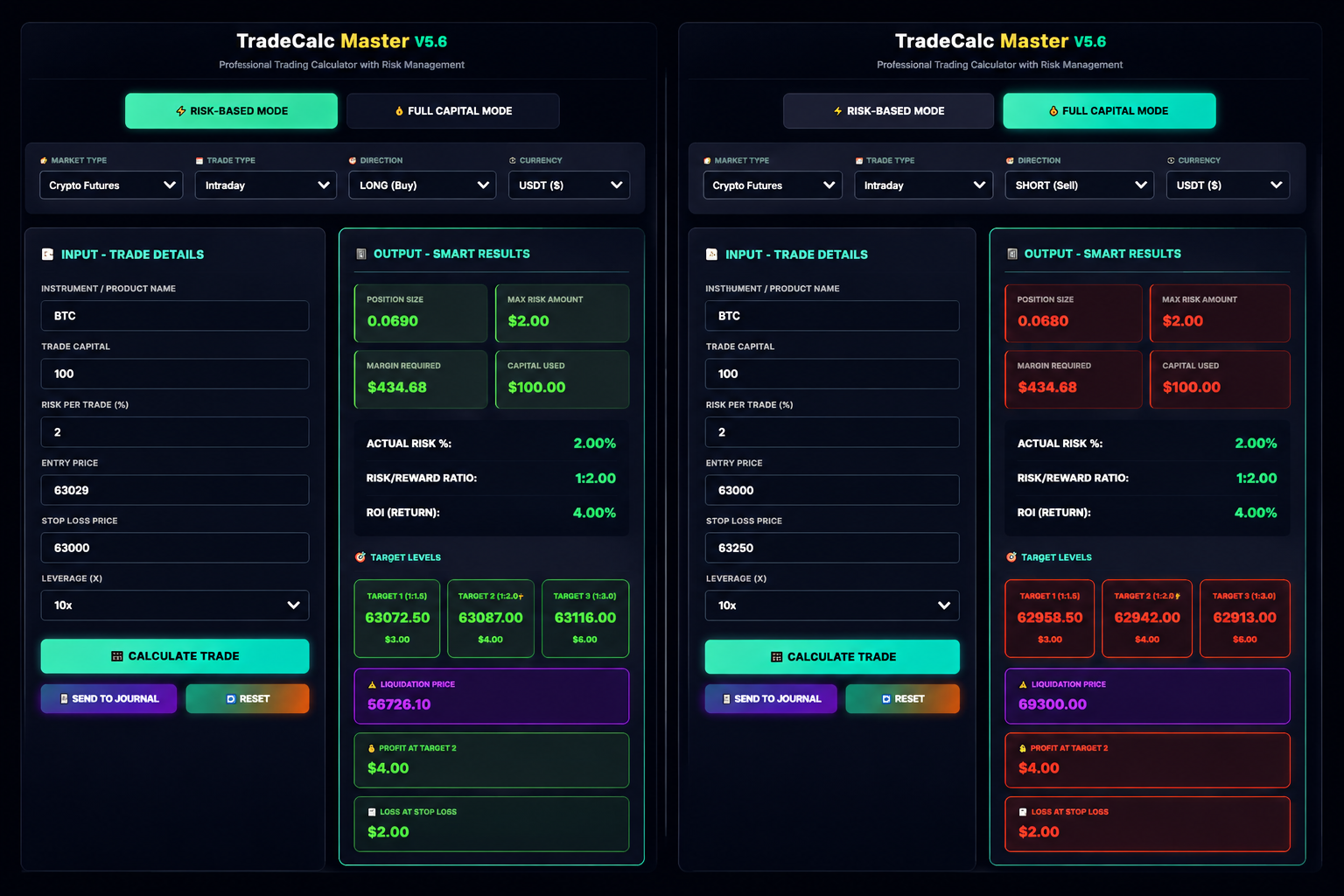
Stop sizing positions by gut feeling. Enter your Entry, Stop-Loss and Risk % — get your exact quantity, targets and liquidation price in seconds, then log every trade automatically.
Entry + SL + Risk % → Position Size, Targets, Liquidation Price
75% Auto-fill + Triple Backup: Cloud + CSV + Drive
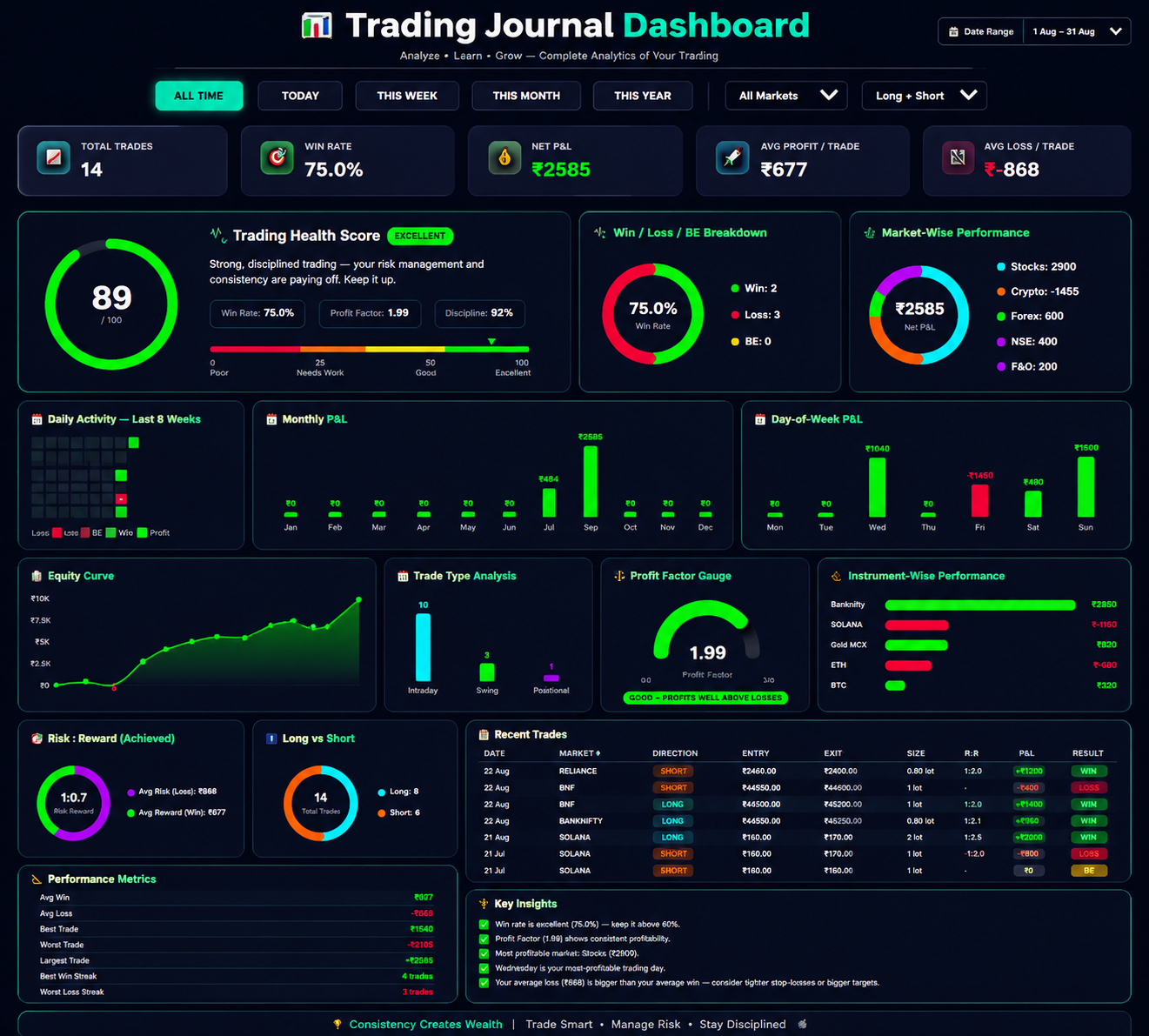
Win Rate, P&L, Health Score, Equity Curve, Monthly Charts — all in one place
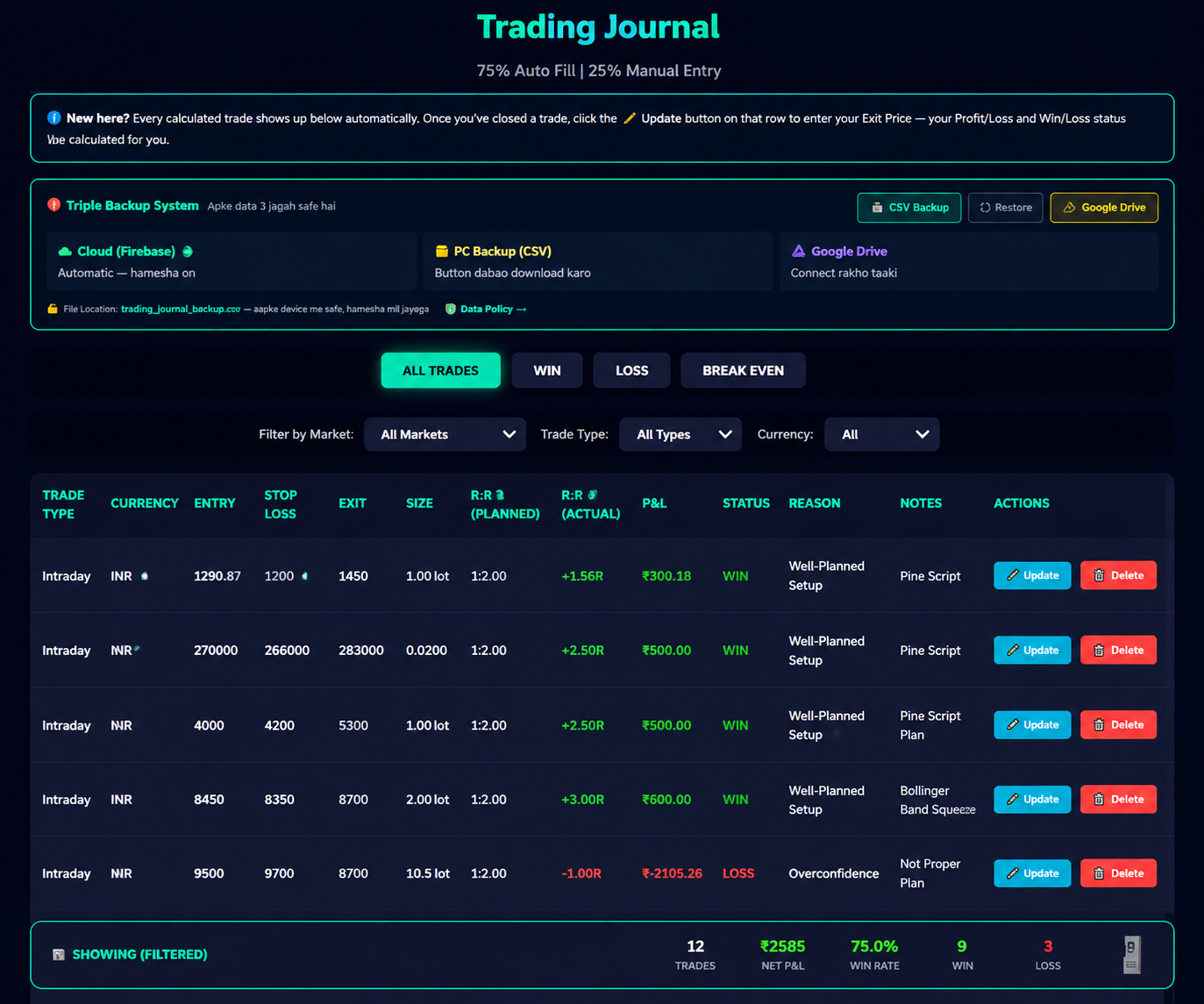
The companion app where you size the position, track the outcome, and review your edge over time. Features a 75% auto-synced trading journal.
trading_journal_backup.csv — same file, opens in ExcelOnce you calculate a trade, TradeCalc Master V5.6 takes over — sizing, logging and reviewing every trade so your edge is measurable, not just a feeling.
Enter entry, SL and account risk % — get exact quantity and R multiple instantly.
Every sized trade auto-logs with its setup tag — BOS, OTE, FVG — for later review.
See win rate, average R and drawdown broken down by which ICT concept you traded.
Save risk defaults per account and instrument — Nifty futures, BTC, or your equity cash book.
No subscriptions, no recurring charges — pay once and use TradeCalc Master V5.6 for life.
One payment. Three tools working together — for life.
Smart Risk Calculator & Automated Trading Journal — yours forever, one payment.
One-Time Payment | Lifetime Access | 50% OFF
⚡ Exclusive 50% discount reserved for the first 100 early users! Price reverts to ₹3,999 soon.
🔥 CLAIM 50% OFF — GET LIFETIME ACCESS FOR ₹1,999
Buy Now🔒 100% Secure Checkout | Instant Access via Email
Full refund eligible only for duplicate/failed-but-deducted payments — see our Cancellation & Refund Policy.
An upcoming TradingView indicator built around ICT (Inner Circle Trader) concepts — auto-plotting market structure like BOS, CHoCH, Fair Value Gaps, Order Blocks and OTE zones on your chart. This is a structure & analysis tool, not a buy/sell signal generator — it's built to help you read the chart yourself, faster.
Currently in development. Register your interest and we'll notify you the moment it's ready.
📩 For More EnquiryREGULATORY DISCLAIMER: TradeCalc Master V5.6 and ICT Pro v6.4 (Coming Soon) are technical charting and analytical tools intended for educational purposes. They plot market structure and do not constitute investment advice, a research report, or a buy/sell recommendation. Trading in securities and derivatives is subject to market risk — please read all scheme-related documents carefully and consult a SEBI-registered investment adviser before making trading decisions.
You already own TradeCalc Master V5.6 the moment you buy — here's a closer look at what it does today, and a preview of ICT Pro, the Pine Script indicator we're building next.
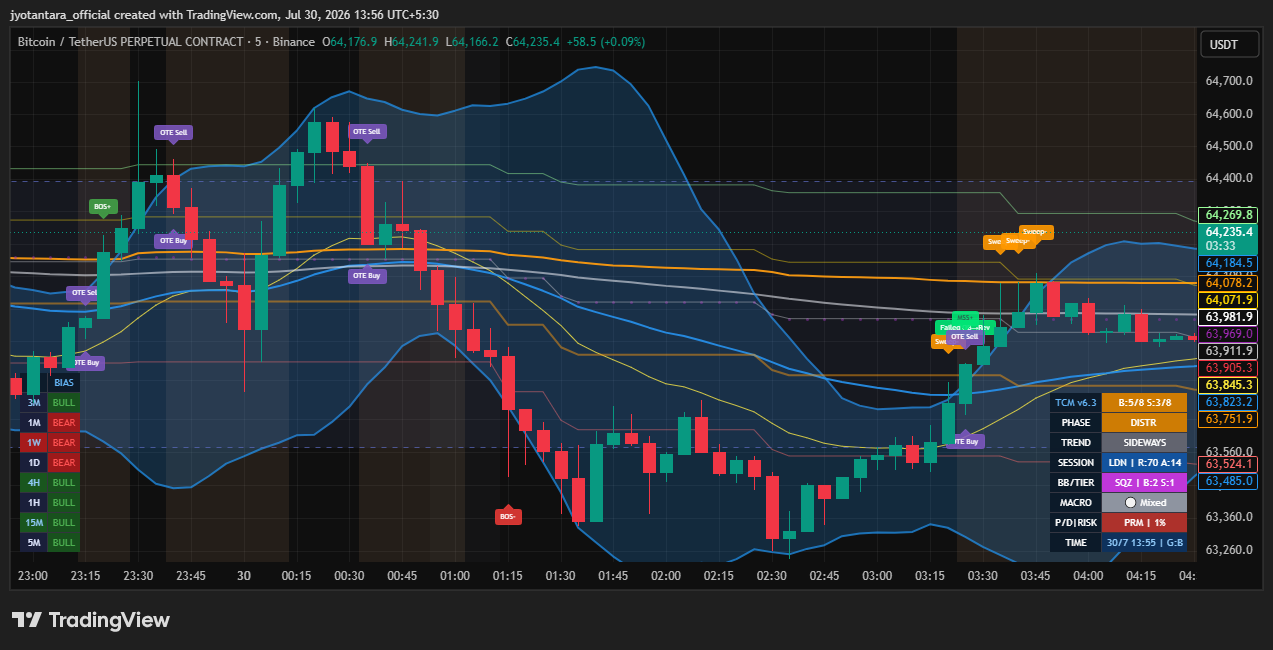
A full ICT / Smart-Money-Concepts engine, built in Pine Script v6, that reads market structure the way an institutional desk would — and plots it live on any TradingView chart, decluttered and colour-coded so a screen full of signals never feels overwhelming. Once released, it will be delivered as a secure, invite-only script granted directly to your TradingView username.
The exact legend used by the indicator — so a chart full of tags never feels like a foreign language.
Price closes beyond the last swing point — the trend is continuing.
First break against the trend — the earliest warning it may be turning.
CHoCH confirmed — the higher-timeframe trend has now actually flipped.
Last opposing candle before a strong move — marked as Demand / Supply Zone.
A 3-candle price imbalance. Box auto-deletes the moment price fills it back.
A failed order block that flips into fresh support or resistance.
The 62%–79% Fibonacci retracement pocket — where entries carry the best odds.
Resting stop-losses are grabbed just before the real move begins.
A pool of resting liquidity sitting above/below a repeated price level.
The session cycle: Accumulate → Manipulate → Distribute.
Bollinger/Keltner volatility contraction just released — expansion incoming.
Classic single- and two-candle reversal patterns, shown at swing points.
Momentum disagrees with price — a possible sign the move is running out of steam.
How many of the 8 timeframes are structurally Bull vs Bear, at a glance.
The order these four steps happen in matters — this is the sequence the indicator is built around.
Look at the 8-timeframe table first. Only take trades in the direction most timeframes agree on.
Wait for a BOS in your bias direction, or a CHoCH → MSS pair if you're trading a reversal.
Best entries sit where an OTE zone overlaps an FVG or Order Block — not any single signal alone.
Feed your entry and stop into TradeCalc Master V5.6 — it sizes the position and auto-journals the trade for you.
No. TradeCalc Master V5.6 helps you size a position and log it correctly — but every trade is placed by you, in your own broker terminal. ICT Pro (coming soon) will plot chart structure and zones for you to read — it will not place trades either.
TradeCalc Master V5.6 supports Stocks, F&O, Crypto, Forex and MCX. ICT Pro, once released, will work on any symbol on TradingView.
One-time payment only. Pay once during this Early Bird offer and get lifetime access to TradeCalc Master V5.6 — no recurring charges, no auto-renewal, ever.
No. We do not offer a free trial. Because access is granted instantly and digitally, we don't offer refunds for change of mind either — please see our Cancellation & Refund Policy for what is covered.
Refunds are provided for duplicate payments or if your payment was deducted but access wasn't granted due to a technical issue on our end. Outside of these cases, this digital product is non-refundable once access is granted. Full details are in our Cancellation & Refund Policy.
Enter it on the checkout page right after clicking "Get Lifetime Access" — the discount will apply automatically before you pay.
Get instant, lifetime access to TradeCalc Master V5.6 — at 50% off, for a limited time.
🔥 CLAIM 50% OFF — GET LIFETIME ACCESS FOR ₹1,999
Buy Now